
What Makes a Phone Truly Senior-Friendly?
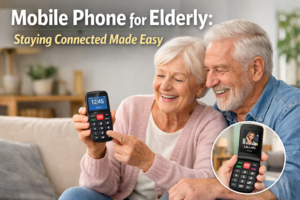
mobile phone for elderly family members is about more than just making a call. It is about providing independence, safety, and a reliable connection to the people who matter. For adult children in the United Kingdom, the choice often centres on devices that are easy to use and equipped with vital emergency features. This guide reviews the best options available, explains the key features to look for, and provides practical advice on setup. Our goal is to help you choose a simple mobile phone that offers peace of mind for you and confidence for your loved one.
A senior-friendly phone removes frustration and builds confidence. It is designed with physical and cognitive changes in mind. The best mobile phone for elderly users focuses on clarity, reliability, and safety above all else.
Key Features for Ease of Use and Accessibility
Ease of use starts with the physical design. Look for phones with large, high-contrast buttons and bright, clear screens. The menu system should be straightforward, with minimal sub-menus. Audio features are critical; a loud speakerphone and clear sound quality help with hearing. Many good models also offer compatibility with hearing aids, which is indicated by an M/T rating.
Accessibility software is equally important. Features like adjustable text size, screen magnification, and voice feedback can make a significant difference. A simple mobile phone will often have a dedicated button for the camera or a favourites list, reducing the steps needed to perform common tasks.
Why Emergency Features Are a Non-Negotiable Priority
For a phone for old age, emergency functions are the most important consideration. These features provide a direct line to help when it is needed most. They compensate for situations where your parent might not be able to dial a number or speak clearly. A device with strong emergency capabilities transforms a communication tool into a safety device.
This focus on safety directly addresses the core concerns of adult children. Knowing that a parent can summon help with one button press offers invaluable reassurance. When evaluating any mobile phone for elderly relatives, the strength and reliability of its emergency system should be your primary filter.
Top Mobile Phones for the Elderly: 2024 Reviews
Based on ease of use, reliability, and safety features, these models stand out as excellent choices for a simple mobile phone.
Doro 7800: The Gold Standard for Simple Mobile Phones
The Doro 7800 is a leader in the market for a mobile phone for elderly users. It features an extra-large keypad with high-contrast numbers and a bright, 2.8-inch screen. Its interface is icon-based and easy to navigate. The phone includes a powerful, dedicated SOS button on the back. When pressed, it sends an alert with GPS location to pre-set contacts and can initiate a loud speakerphone call.
It also offers features like an amplified speaker, a built-in torch, and a camera. The Doro 7800 represents a balanced approach, providing essential smartphone-like functions in a very accessible package. It is a strong all-rounder for seniors who want a bit more than just calling.
TTfone T200: A Basic Phone for Old Age with SOS
The TTfone T200 is designed as a pure, basic phone for old age. It strips away complexity to focus on core functions: calling and safety. The keypad is very large, and the menu is extremely simple. Its standout feature is a prominent SOS button on the front of the device. This button can be programmed to call up to five contacts in sequence until someone answers.
This model is ideal for users who are easily confused by technology or who primarily need a reliable emergency device. It is one of the most straightforward simple mobile phone options available, making it a perfect choice for those with limited dexterity or vision.
Nokia 6310 (2024): Iconic Simplicity for Senior Users
The re-released Nokia 6310 brings back a classic, intuitive design that many seniors will remember. It is a durable 4G phone with a familiar button layout and a long-lasting battery. While it does not have a dedicated SOS button like the Doro or TTfone, its simplicity is its strength. Making a call or sending a text is quick and uncomplicated.
For a senior who is comfortable with traditional mobile phones and does not require advanced emergency features, the Nokia 6310 is a reliable and affordable mobile phone for elderly users. It offers modern connectivity with a classic, easy-to-understand interface.
Essential Emergency Features in Phones for Old Age
Understanding these features will help you choose the safest phone for old age. They are designed to work even when the user is under stress or cannot operate the phone normally.
Dedicated SOS Buttons and How They Work
A dedicated SOS button is a physical button, often placed on the back or side of the phone, that is easy to find by touch. When pressed and held for a few seconds, it triggers an emergency alert. This typically involves sending a pre-written SMS with the user’s GPS location to a list of emergency contacts. Many phones will also automatically call the first contact on speakerphone.
This feature is crucial because it bypasses the need to unlock the phone, find a contact, and dial. In an emergency, this speed and simplicity can be vital. Always test this function during setup to ensure your parent understands how it works and that the alerts are sent correctly.
Fall Detection and Automatic Alert Systems
Some advanced models, particularly simplified smartphones, include fall detection technology. Using built-in sensors, the phone can detect a hard fall. If the user does not move or cancel the alert within a set time, the phone will automatically send an SOS alert to emergency contacts.
This feature provides an extra layer of protection for seniors who live alone or are at risk of falls. It acts as a silent guardian, ensuring help can be summoned even if the person is unable to press a button. When considering a mobile phone for elderly family members, this can be a decisive factor for added safety.
GPS Location Sharing for Family Peace of Mind
Location sharing allows family members to check the phone’s location via a secure app or website. This is not for constant surveillance, but for specific situations. If a parent is late returning home or feels disoriented, you can quickly verify their location to provide appropriate help.
This feature, often part of a phone’s companion service, directly addresses the worry adult children may feel. It turns a simple mobile phone into a connected safety device, offering reassurance that help can be directed to the right place if needed.
How to Set Up a Simple Mobile Phone for a Parent
Proper setup is key to ensuring the phone is used correctly and its safety features are active. Follow these steps to configure a new mobile phone for elderly users.
Step-by-Step Guide for Initial Configuration
First, insert the SIM card and charge the phone fully. Go through the initial setup together. Set the language, time, and date. Adjust the basic accessibility settings: increase the font size to maximum, set the ringtone and message alert to a loud, clear tone, and turn on the keypad tones if helpful for feedback.
Add important contacts to the address book. Use their full name (e.g., “Alice Daughter”) so they are easily identifiable. Set a simple unlock PIN if required, but avoid complex patterns or passwords that might be forgotten. The goal is to make the fundamental functions obvious and easy to access.
Programming Emergency Contacts and Speed Dials
This is the most critical setup step. Access the phone’s SOS settings, usually found in a “Safety” or “Assistance” menu. Enter the phone numbers for at least two emergency contacts. These should be people who are likely to answer their phone at any time.
Also, program speed dial keys. Assign key 1 to your number, key 2 to another family member, and key 3 to a neighbour or doctor. Teach your parent that holding down the “1” button will call you directly. Practice using both the SOS button and the speed dial functions together until they feel comfortable. A well-configured simple mobile phone is a reliable tool only if the user knows how to activate its help features.
Smartphone Options for Tech-Confident Seniors
For seniors who are comfortable with technology, a smartphone with a simplified interface can offer the best of both worlds: connectivity and safety.
Simplified Smartphone Interfaces (Jitterbug, Doro)
Companies like Doro and Jitterbug (from Alcatel) offer smartphones with custom, senior-friendly interfaces. These interfaces feature very large icons, simple menus, and a limited set of apps. They integrate the essential emergency features like SOS buttons and fall detection directly into the smartphone experience.
These devices allow access to video calls, photo sharing, and helpful apps like medication reminders, but without the complexity of a standard Android or iOS home screen. They are an excellent mobile phone for elderly users who want modern apps but need a clearer, less cluttered way to use them.
Large Screen Android Phones with Accessibility Settings
A standard Android phone can be made senior-friendly through careful configuration. Choose a model with a large, bright screen (6 inches or more). Use the built-in accessibility features: enable “Easy Mode” (or similar), which simplifies the home screen, magnify the display scaling, and increase the font size system-wide.
Install only essential apps and place them prominently on the home screen. You can also add a personal safety app that mimics SOS functions. This approach offers maximum flexibility but requires more initial setup from a family member to ensure the interface remains a simple mobile phone experience for the user.
Common Mistakes When Buying a Phone for Old Age
Avoiding these errors will ensure you choose a device that will actually be used and appreciated.
Overlooking Hearing Aid Compatibility (M/T Ratings)
Many seniors use hearing aids. Phones can cause interference with them. Look for a phone’s M/T rating. An “M3” or “M4” rating means it works well with hearing aids in microphone mode, reducing buzzing. A “T3” or “T4” rating is for compatibility with hearing aids’ telecoil (T-setting) mode.
Choosing a phone with a good rating ensures clear sound and prevents frustration. This is a technical detail that has a major impact on the usability of a phone for old age. Always check the specifications or product packaging for this information.
Choosing a Phone That’s Too Complex or Fragile
The most common mistake is gifting a hand-me-down smartphone with a complex interface. Cluttered screens, small icons, and constant software updates can overwhelm a senior user, causing them to abandon the device entirely.
Similarly, a phone with a glass body or a flimsy build is not suitable. Look for devices with a robust design that can withstand occasional drops. The best mobile phone for elderly users prioritises durable construction and an interface with zero learning curve. Complexity is the enemy of utility in this context.
Conclusion
Selecting the right mobile phone for elderly family members is a practical way to support their independence and your peace of mind. The ideal device combines a clear, simple interface with robust emergency features like an SOS button and GPS. Whether you choose a dedicated senior model like the Doro 7800 or a configured smartphone, the principles remain the same: prioritise safety, ensure ease of use, and involve your parent in the setup process. A well-chosen simple mobile phone is more than a gadget; it is a lifeline and a bridge to staying connected.
(FAQs)?
What is the easiest mobile phone for an elderly person to use?
Phones like the TTfone T200 or the Doro 7800 are designed specifically for ease of use. They feature very large buttons, simple menus, and dedicated emergency buttons. The “easiest” model is often one with the fewest features beyond calling and SOS, as this reduces confusion.
Are there phones for the elderly with no monthly contract?
Yes. Most basic phones for old age can be used on a pay-as-you-go (PAYG) SIM card from any major network. This means there is no contract or monthly bill. You simply top up credit as needed. This is a popular and flexible option for seniors who do not use their phone frequently.
Find More Helpful Products for Your Family
Choosing the right tools for your family’s needs is important. For another thoughtful gift idea that brings daily joy, consider exploring the elegant Daisy Fragrance Perfume. Just as a good phone provides safety and connection, a pleasant scent can uplift and comfort.
